Graduation Star Map — the Sky Over Commencement Night
Four years, or six, or however many — they end on one dated night in one specific place. This tool rebuilds the sky over the campus that evening and captions it with the graduate's name and year.
Make a graduation star map
Free, in your browser — no account, nothing uploaded. Both downloads are the complete chart: a vector SVG and a 300 dpi PNG, with nothing held back and nothing to buy.
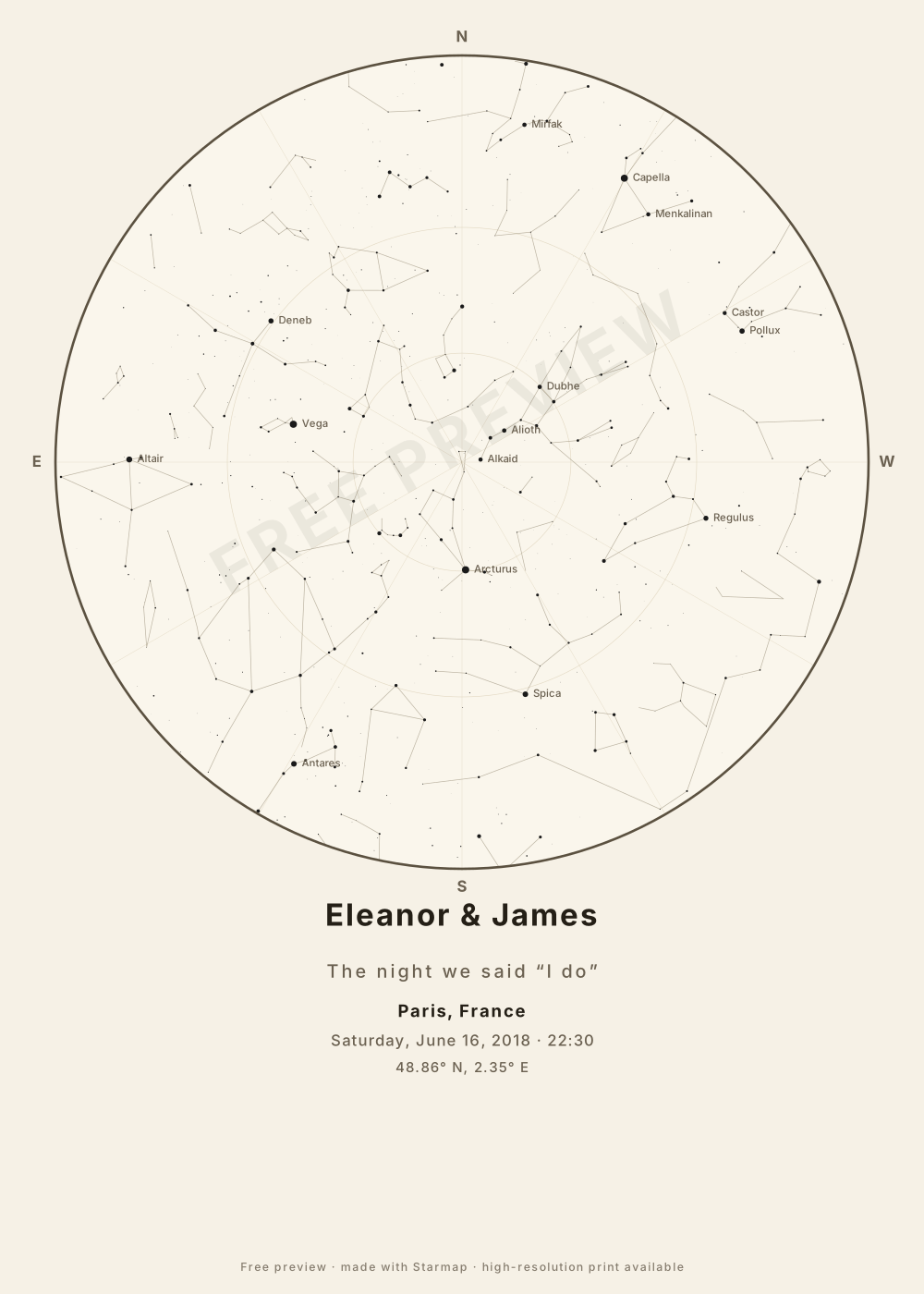
A graduation gift often disappears fast — flowers wilt, gift cards get spent. A dated star map is the opposite: it fixes the night the work paid off, and it means more in five years than it does on the day.
Picking the moment and place
- Place = the campus, not home. Enter the university's city (or the exact venue coordinates if the ceremony is off-campus). This is the map of where the degree was actually conferred.
- Date = commencement day. Use the ceremony date. If the school holds a separate degree-conferral date, either is defensible — pick the one the graduate would call "the day".
- Time = evening usually looks best. Ceremonies run in the morning, when the chart is a daytime sky (still real, just Sun-washed). The evening of that same date gives a fuller, more dramatic sky and is equally true to the day.
For the caption, the graduate's name goes on top and a single line like Class of 2026, the school, or the degree goes underneath. The ink-on-paper theme keeps it looking like a diploma rather than a poster — a good fit for a first apartment or a new desk. Navy night is the bolder option if it's going on a feature wall.
To hang it: download the artwork and send it to any poster printer or local shop; the tool doesn't print or ship. A5-to-A3 sizes all work, but A3 (about 30×42 cm) gives the constellations room to read from across a room.
How the map is computed
You give it three things: a date, a time, and a place. For the place, type a town or city name and pick it from the list — 29,919 towns and cities of 18,000 people or more, from GeoNames — or enter an exact latitude and longitude instead. Accents are optional (“malmo” finds Malmö), but type the name on its own: “Roskilde Denmark” finds nothing, and a typo finds nothing rather than the wrong sky.
Your date, time and place are converted to a Julian Date and then to local sidereal time — the astronomer’s clock for “which way is the sky facing.” Each of the 1,630 stars in the Yale Bright Star Catalogue (every star brighter than magnitude 5.0, i.e. every star a good naked eye can see) is transformed to its altitude and azimuth at that exact moment, and every one of those stars above the horizon is projected onto the circular chart: zenith at the centre, horizon at the rim, north at the top — and east on the left, because a star map is read looking up, which mirrors east and west compared to a ground map.
The 89 constellation figures are drawn with the same math and clipped at the horizon. Star dots are scaled by real brightness (magnitude) and tinted by star colour. The Moon is drawn at its real altitude, azimuth and phase for your moment, and left off entirely when it was below your horizon. It does not show the planets, comets or satellites — those wander against the fixed stars and need ephemerides, which this version does not compute. Everything runs in your browser — nothing is uploaded, there is no account, and the page works offline once loaded.
Common questions
Should I use the campus city or the graduate's hometown?
Use the campus — the place the degree was earned. The sky over the university on commencement night is the one that belongs to the achievement. If the ceremony and the school are in different cities, use the ceremony location.
Ceremonies are usually in the morning. Which time do I enter?
You have two honest choices: the actual ceremony time (the stars were above the horizon in daylight), or the evening of graduation day, which shows the sky the graduate would have seen looking up that night. Evening charts tend to look fuller, so many people pick that.
Can I add the school and degree to the print?
Yes. Put the graduate's name as the title and a line like “Class of 2026, B.Sc. Physics” or the school name as the subtitle. Keep it to one line so it sits cleanly beneath the chart.